 Origin
Roles and permissions
Review organization membership and prepare scoped role drafts for a database.
The current console keeps these changes in local preview storage. Team invitations do not send emails, and database role drafts do not grant or deny live access.
1. Review your team
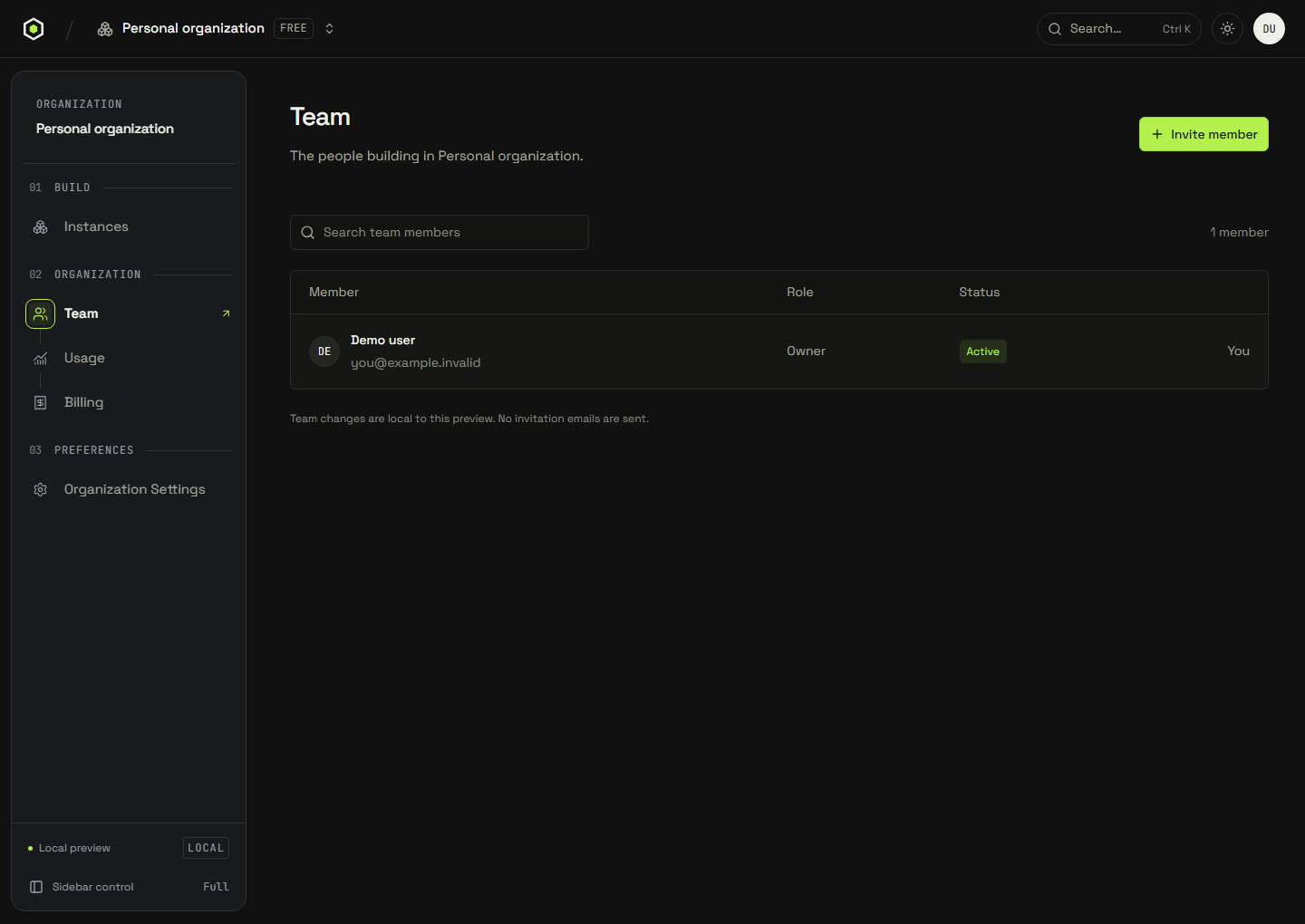
Return to the organization and open Team. Search members by name or email. Invite member accepts an email and a Developer, Admin, or Viewer role; Add demo invitation records an invitation locally. It does not create a live account or contact the recipient.
2. Open Roles & grants
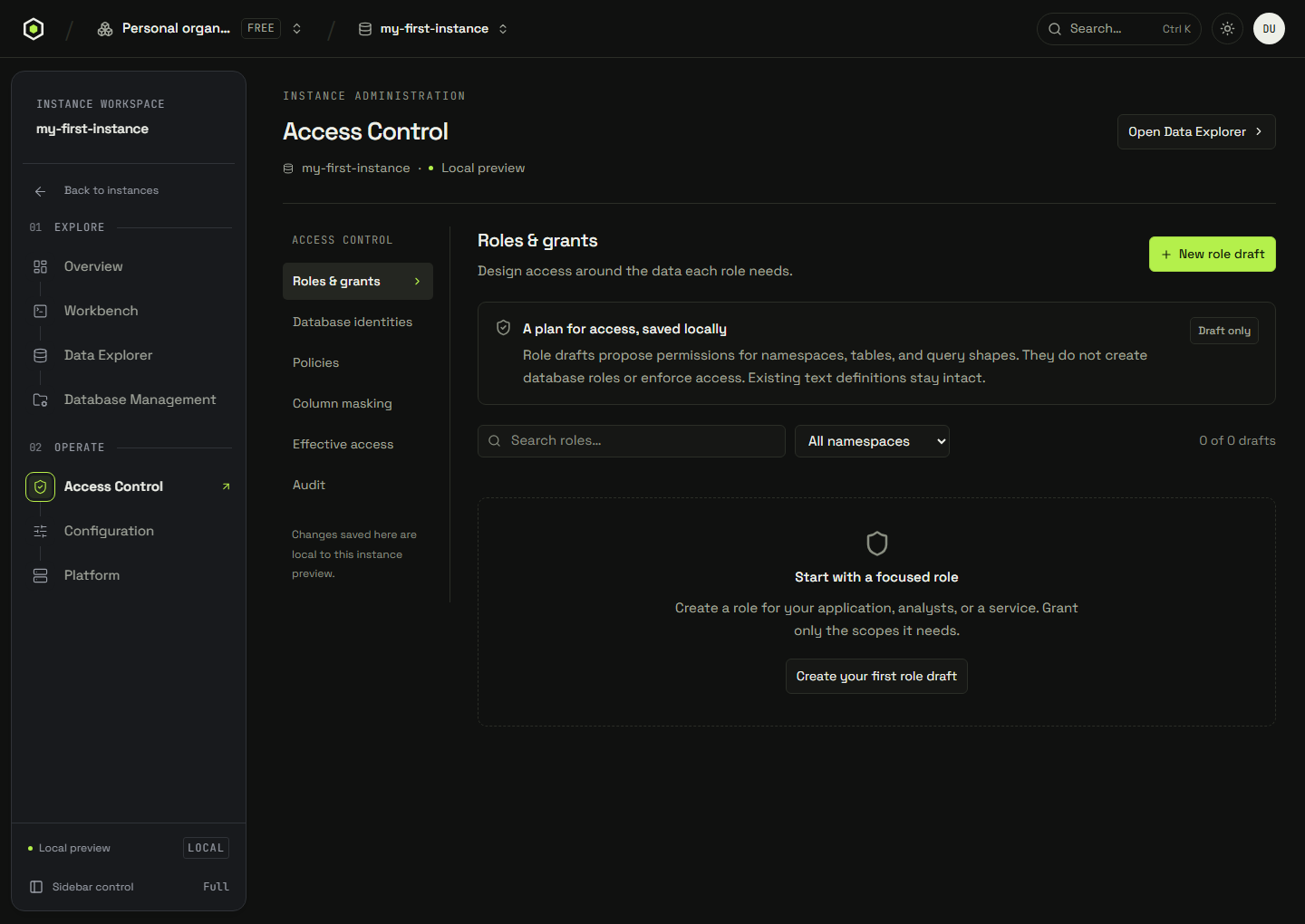
Select an instance and open Access Control → Roles & grants. Search drafts or filter by their definition namespace. Existing text definitions remain intact; structured drafts can be inspected and edited.
3. Prepare a role draft
- Choose New role draft and enter a name, definition namespace, and optional description.
- Choose Add grant. Select its namespace, table, and query shape.
- Select the proposed permissions:
select,insert,update,delete, orreferences. - Choose Save role draft to keep the proposal locally, or Export draft to review its JSON outside the console.
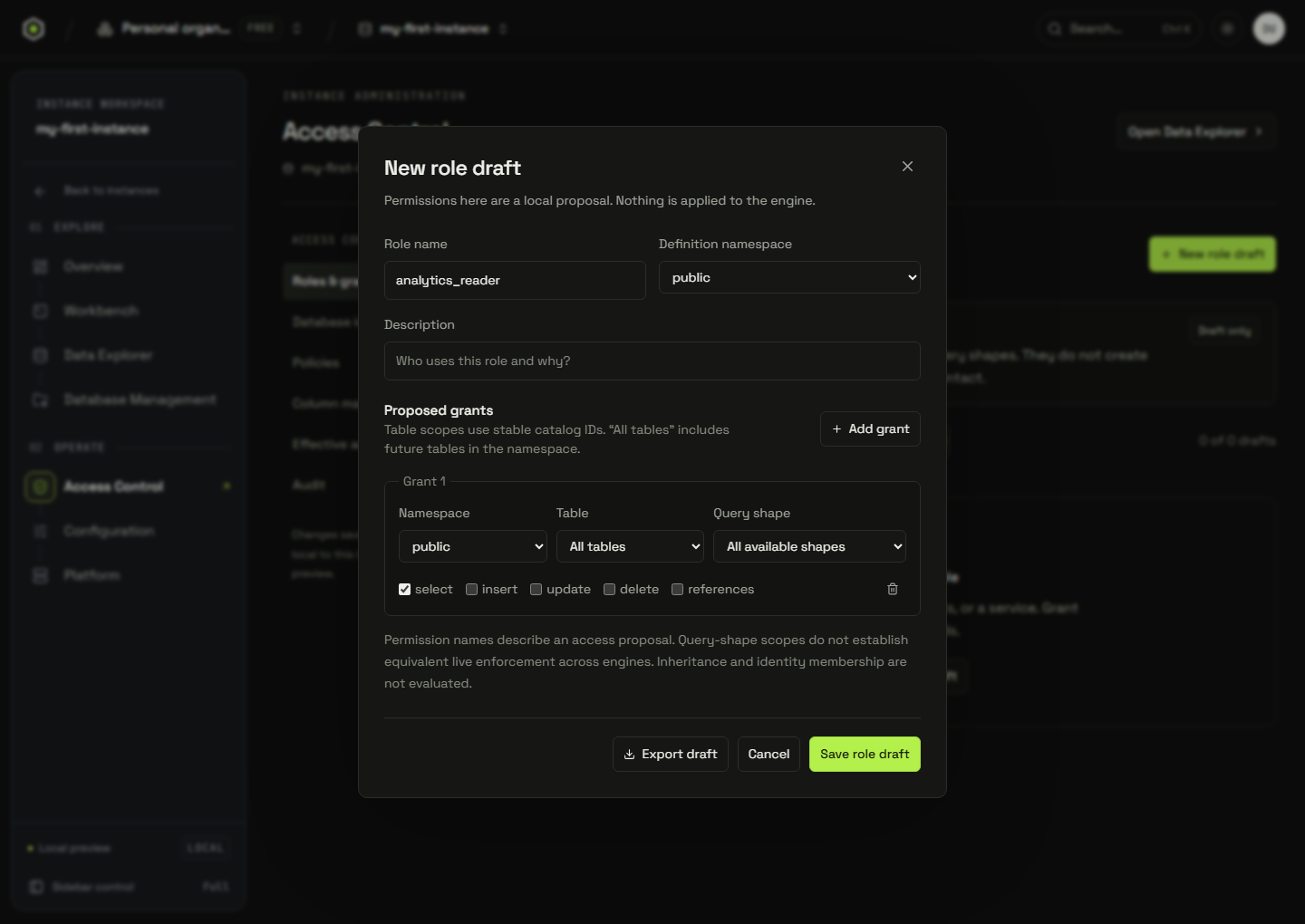
All tables includes future tables in that namespace in the draft model. A grant must contain at least one permission. Duplicate namespace/table/query-shape scopes must be combined; removed tables or incompatible query shapes need correction. Structured drafts support up to 100 grants.
4. Review proposed effective access
Open Effective access, select a structured role draft and query shape, then inspect the table matrix. It shows Proposed or Not proposed for the five permission types.
This analysis combines direct grants only. It does not evaluate database users, inherited roles, row policies, column masks, or live engine permissions. A text definition cannot be interpreted by the structured analyzer, and Not proposed does not mean the database denies access.
A database role belongs to the database identity layer. Organization Team membership does not provide database permissions. See database identities and the enforcement boundary before applying a proposal.
Edit or remove a draft
Return to Roles & grants and choose Edit draft. Removing a draft requires typing its name. These actions update local definitions and local Access audit history only; they do not alter a deployed role or its memberships.
Organization role reference for a connected service
The service role model below is distinct from the preview Team labels. Confirm the authenticated service's role catalog and permission checks before assigning production access.
| Capability | Org owner | Org admin | Cluster operator | Read-only | Billing-only |
|---|---|---|---|---|---|
| Manage members & invites | Included | Included | Not included | Not included | Not included |
| Create / delete clusters | Included | Included | Not included | Not included | Not included |
| Operate scoped clusters | Included | Included | Included | Not included | Not included |
| Edit billing & payment | Included | Included | Not included | Not included | Included |
| View invoices | Included | Included | Included | Included | Included |
| Read org audit log | Included | Included | Included | Included | Not included |
| Manage API tokens | Included | Included | Not included | Not included | Not included |
| Configure SSO · v2 | Included | Not included | Not included | Not included | Not included |
| Read-only console access | Included | Included | Included | Included | Included |
| Capability | Documented status | Service boundary |
|---|---|---|
| Manage members & invites | Enforced by the service | Sending and revoking invitations, adding a member directly, resetting a member's password, changing a member's role, removing a member, and creating a custom role. All refuse with a permission error without it. |
| Create / delete clusters | Enforced by the service | Deleting a database, and deleting a schema. Both refuse without it. |
| Operate scoped clusters | Enforced by the service | Rotating a database's shared bearer token, and running schema migrations. Both refuse without it. |
| Edit billing & payment | Descriptive | Descriptive. The billing pages are not gated on this capability today. |
| View invoices | Descriptive | Descriptive. Invoice and usage views are not gated on this capability today. |
| Read org audit log | Descriptive | Descriptive. The org audit log is not gated on this capability today. |
| Manage API tokens | Descriptive | Descriptive. Personal access tokens are already per-member and scoped to the holder — see the IAM page. |
| Configure SSO · v2 | Descriptive | Reserved for single sign-on, which is not shipped yet. Owner-only in the matrix. |
| Read-only console access | Descriptive | The baseline every role holds; it is what lets a member open the console at all. |
In this documented service model, custom organization roles compose the same nine capabilities; unresolved roles fall back to read-only console access. The owner safeguards refuse demoting or removing the last owner, and refuse removing yourself. A signed-in role alone does not establish a hard boundary for capabilities marked descriptive.
Database grants use Select, Insert, Update, Delete, and References. The documented administrative role is ll_admin; system roles cannot be deleted. Read access, inherited roles, wildcard objects, and masked columns must be evaluated by the engine. The remaining write-grant letters must not be assumed to enforce writes; the IAM reference explains this limit.
Apply through an authenticated service
Review exported scopes, resolve database identities, and verify enforcement for SQL, vector, full-text, graph, and direct record requests. A browser draft is not evidence that a user is restricted.
For the documented service's offboarding flow, personal tokens are revoked by their holder; removing organization membership does not itself delete those tokens. Review shared credentials and database users separately. Keep another authorized owner available before changing administrative membership.
Next: prepare row policies and check the live enforcement boundary.