 Origin
Database users and access
Find identity settings and prepare network and row-policy drafts for an instance.
The screenshots show the current local console. Drafts are stored in this browser; they do not create credentials, change network access, or enforce database permissions.
1. Open Access Control
Select an instance, then choose Access Control in its sidebar. Roles & grants, Database identities, Policies, Column masking, Effective access, and Audit are grouped here. Organization membership is managed separately under Team.
2. Check database identities
Open Database identities. The current preview reports that the live identity list and credential operations require integration. It does not generate database users, passwords, or API keys.
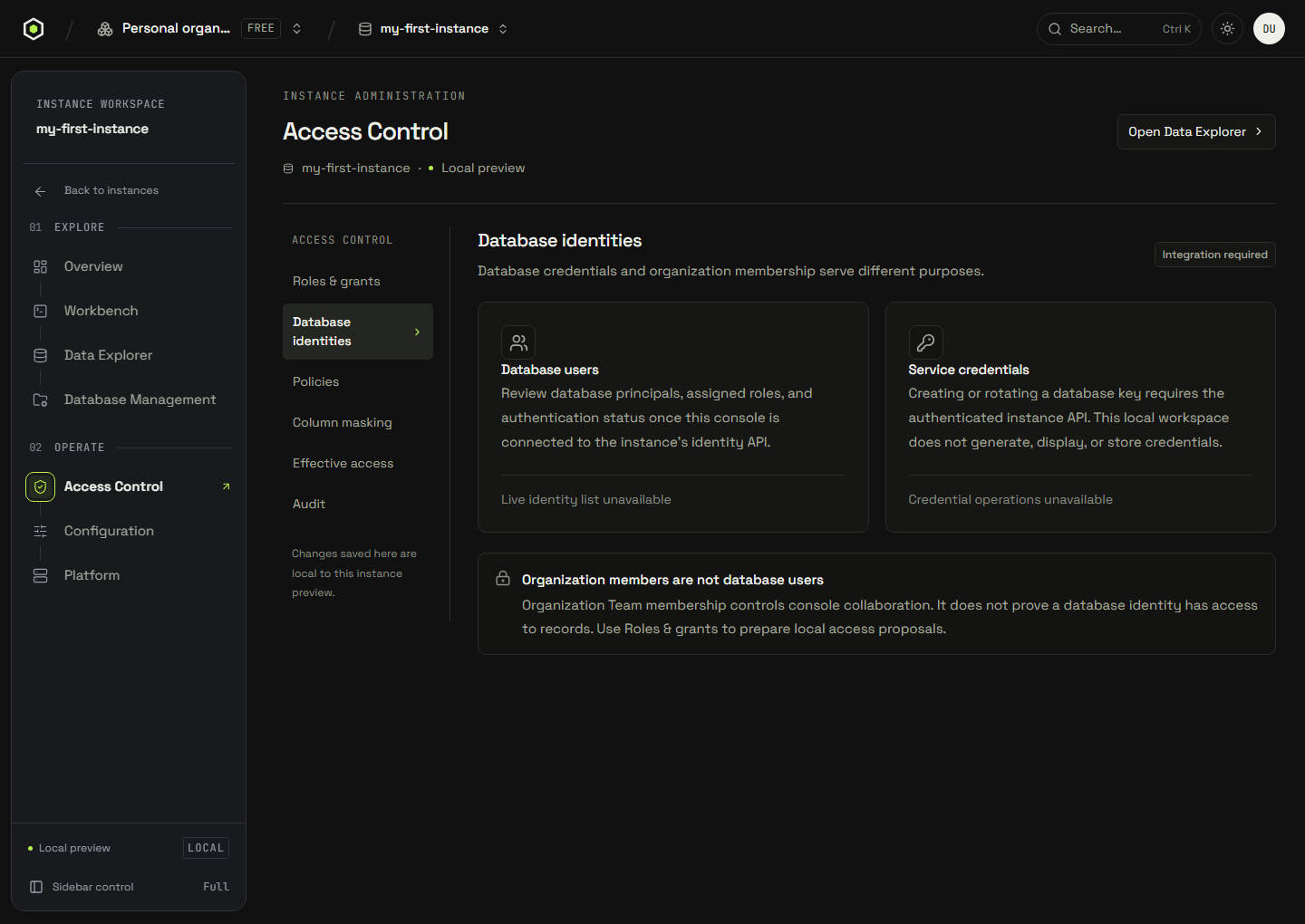
A console member and a database user are separate identities. Adding someone to Team does not establish their right to query records.
Credentials for a connected instance
Use Connect on an instance to find application and database-client setup. Replace template values with credentials from an authenticated service. A sample endpoint or copied template is not a working credential.
Credential kinds in the service API
These credential lifecycles describe the service API, not actions available in the local preview.
| Credential | Scope | Lifecycle |
|---|---|---|
Shared database beareroc_live_… | One per database, shared by everyone and every deployed client. | Rotate replaces it. Every client still using the old value stops working. |
Personal access tokenoc_u_… | Yours alone, one or many per database. Carries read/write or read-only. | Rotate or revoke affects only that token — nobody else's breaks. |
Database-user API keyissued per database user | Belongs to a database user, so queries run as that user with its roles and grants. | “+ key” issues another; deleting the user removes them all. |
A personal token can be rotated or revoked independently. Rotating a shared database bearer invalidates its previous value for every client using it. A database-user key acts with that user's roles and grants; a newly issued secret is shown only once by the issuing service.
3. Prepare network access
From the instance overview, choose Network. Add an address rule using an IPv4 or IPv6 address or CIDR range. A single address is normalized to /32 or /128.
Choose the empty-allowlist behavior explicitly. Removing the last rule does not change that choice. Private endpoint and peering options depend on the deployment plan and provider capabilities. Save or export the draft for review; no cloud firewall changes are made by this preview.
4. Prepare row policies
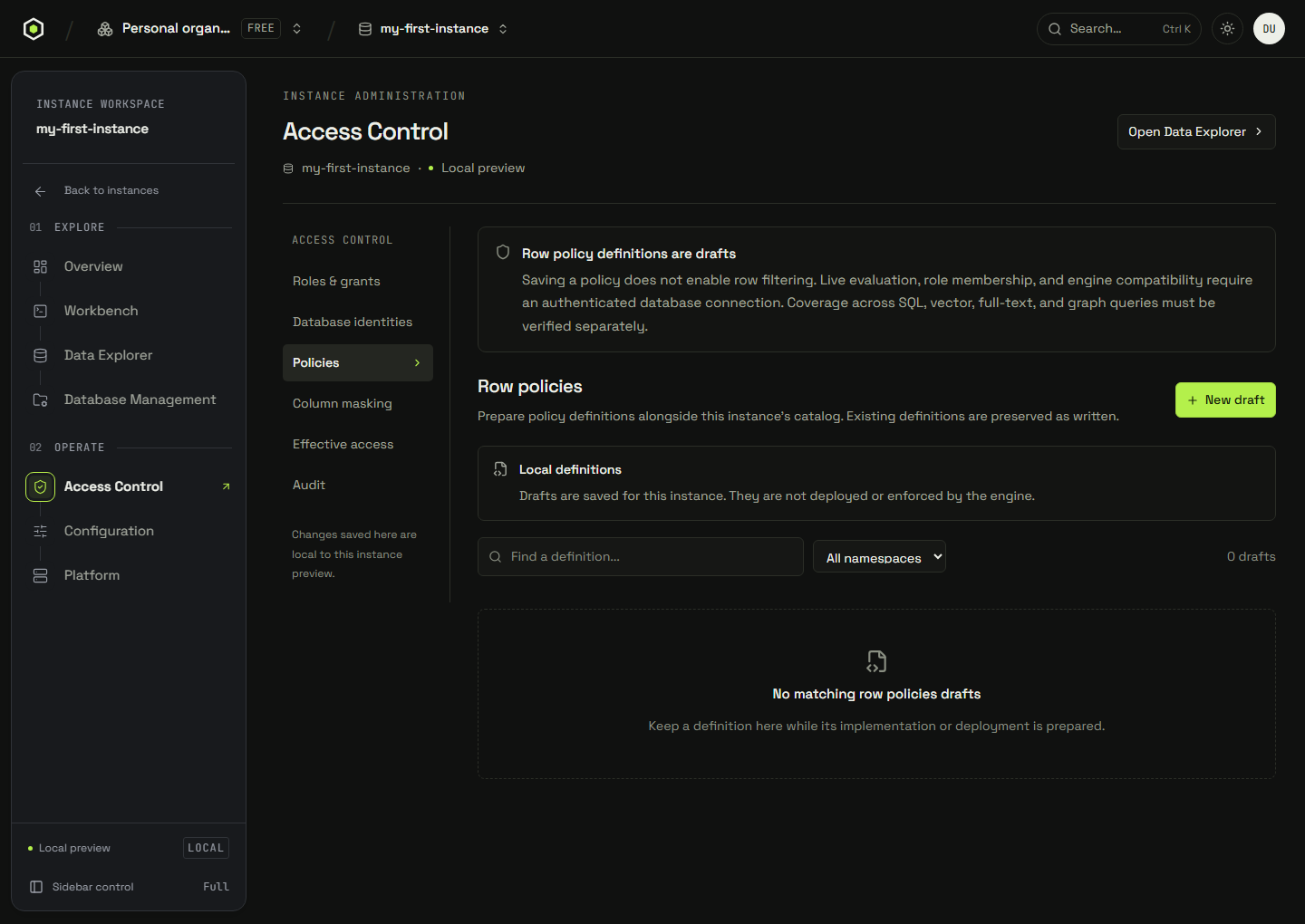
Open Access Control → Policies to inspect existing definitions or prepare a policy draft. Saving a definition does not enable row filtering. Column masking also requires a connected engine before enforcement can be inspected.
Engine policy semantics
The documented read-policy model attaches a USING predicate to a table and role. Its predicate surface includes =, !=, <, <=, >, >=, IN (...), IS [NOT] NULL, AND, OR, NOT, and CURRENT_USER.
For the documented database-user read path, a policy sees real values before column masking; rows failing the predicate are filtered out. A database bearer acting as the administrative superuser is not a test of restricted user access. With no policies on a table, the policy layer supplies no row filter. Verify identity propagation and enforcement separately for each query path before relying on a policy.
Review access changes
Access Control → Audit shows local role and policy draft edits. Filter the history by kind or text, then export the filtered entries. This history is not a durable security log or a verified engine audit chain.
Connected engine audit reference
The engine's authorization audit model is an append-only hash chain. Its documented actions include user.create, user.delete, user.rotate_key, role.create, role.delete, grant.put, grant.revoke, rls.put, and rls.delete. Each entry includes its target, change detail, and previous hash.
Chain verification must recompute the links and identify any first broken sequence. Engine audit exports use NDJSON. Organization events and browser-local draft history are separate records; this preview does not fetch or verify the engine chain.
Before applying a policy
Connect an authenticated service and verify the deployed engine's capabilities. Local policy and role definitions establish no access boundary.
| Control | Boundary to verify |
|---|---|
| Network access | The actual endpoint rules and empty-allowlist policy, independently of database credentials. |
| Read-only token | Write requests are rejected by the service; a browser label alone cannot enforce this. |
| Database identity | Queries propagate the intended database user rather than an administrative bearer identity. |
| SELECT, policies and masking | Reads by that identity are checked for table access, row filtering, and masked columns on every supported query path. |
| Insert, update, delete, references | The documented grant model records these privileges without promising a write barrier. Use a service-enforced read-only token or separate database when a write boundary is required. |